LinkedIn Ads on a Small Budget: A First Campaign That Teaches You Something
A practical guide to running LinkedIn ads on a small budget — how to structure your first campaign so it teaches you something useful.

Most founders and consultants assume LinkedIn ads only make sense once you have a real budget behind them. That assumption keeps a lot of good businesses from ever running a single campaign. The truth is a small, well-structured LinkedIn campaign can teach you more than a large, sloppy one — because the goal of a first campaign isn't scale, it's signal.
If you sell through LinkedIn already — through posts, DMs, or your own network — you already have the raw material for an ad that works. What you're usually missing isn't budget. It's structure: a narrow audience, one clear offer, and a way to read the results honestly.
This guide walks through how to set up that first campaign so a modest spend gives you something you can actually act on.
Why small budgets fail on LinkedIn (and how to avoid it)
Small LinkedIn budgets don't fail because they're small. They fail because they're spread too thin or pointed at the wrong goal.
Common mistakes:
- Targeting too broad an audience. "Marketing managers" in a whole country is not a targeted audience — it's a guess with extra steps.
- Running multiple objectives at once. Awareness, lead gen, and website visits pulling in different directions dilutes whatever signal you get.
- Changing the campaign every few days. LinkedIn's algorithm and your own read of the data both need a stable period to mean anything.
- Measuring the wrong thing. Clicks feel good. Leads, replies, and booked calls are what matter for a B2B offer.
A small budget forces discipline. Treat that as an advantage: you can only afford to test one audience, one message, and one call to action at a time — which is exactly what you should be doing on a first campaign anyway.
Step 1: Pick one narrow audience
Resist the urge to target everyone who might buy from you. Pick the segment you understand best — the type of person you've already closed deals with, or the one you talk to most in sales conversations.
Narrow by:
- Job title or function — specific titles, not broad categories
- Company size — a range that matches your actual customer profile
- Industry — one or two, not a long list
A tight audience of a few thousand relevant people will teach you more than a loose audience of a few hundred thousand, because every impression and click is more likely to come from someone who actually fits your offer.
Step 2: Choose one objective and one offer
Decide what you want this campaign to produce — a lead form fill, a website visit, or a conversation starter — and build everything around that single goal.
For a first campaign, lead generation objectives using LinkedIn's native lead forms tend to give the cleanest read. The form is pre-filled with the person's LinkedIn profile data, so friction is low, and you get a direct count of how many people raised their hand.
Your offer should be specific and low-commitment:
- A short guide or checklist relevant to the audience's problem
- A free assessment or audit
- A direct invitation to book a short call
Avoid vague offers like "learn more about us." A first-time viewer on LinkedIn needs a reason to act in the next ten seconds, not an invitation to browse.
Writing the ad itself
Keep the format simple. A single image or short video with plain, direct copy usually outperforms anything overproduced for a first test. Speak to the specific pain point your narrow audience has, state the offer clearly, and give one call to action.
Skip the clever hook. Say what the thing is, who it's for, and what happens when they click.
Step 3: Set a budget you can actually learn from
There's no universal minimum that makes LinkedIn ads "worth it." What matters is that your budget runs long enough, and reaches enough of your narrow audience, to produce a readable number of clicks and leads — not just impressions.
A few practical rules:
- Run on a daily budget, not a lifetime budget, so you can monitor pacing and pause quickly if something's off.
- Give the campaign at least a full week before judging it. LinkedIn's delivery system needs time to find the right people within your audience.
- Don't split the budget across multiple ad variations on day one. Start with one ad. You can test variations once you've confirmed the audience and offer work at all.
The point of this phase isn't to generate a flood of leads. It's to find out whether this audience responds to this offer, at this message. That answer is useful regardless of how many dollars sit behind it.
Step 4: Decide what "working" looks like before you launch
Before the campaign goes live, write down what result would make you call it a success and what would make you call it a lesson. This matters more on a small budget, because the sample size is small enough that it's tempting to read too much into early numbers in either direction.
Reasonable questions to answer in advance:
- What cost per lead would feel acceptable for this offer?
- How many leads do you need to have a real conversation about quality, not just quantity?
- What would tell you the audience is wrong versus the message is wrong?
Having these answers ready keeps you from overreacting to the first few days of data, and from quietly giving up too early.
Step 5: Read the results like a test, not a verdict
Once the campaign has run its course, look at it in three parts:
- Delivery — Did LinkedIn actually spend the budget against your audience, or did it struggle to find people (a sign the audience may be too narrow or too expensive to reach)?
- Engagement — Did people click or open the lead form at a reasonable rate for the format you used?
- Conversion — Of the people who engaged, how many became leads, and do those leads look like your actual buyers?
A campaign that gets decent clicks but poor-quality leads is telling you the targeting is off, even if the message resonates. A campaign with good leads but a high cost to get them is telling you the audience is right but maybe too small or too competitive. Each outcome points to a different next move — tighten the audience, change the offer, or scale what's working.
Where PostFuse fits into this process
Running a first LinkedIn campaign well means paying attention — to the copy, the audience, the budget pacing, and the leads coming in. PostFuse is built to take some of that manual tracking off your plate.
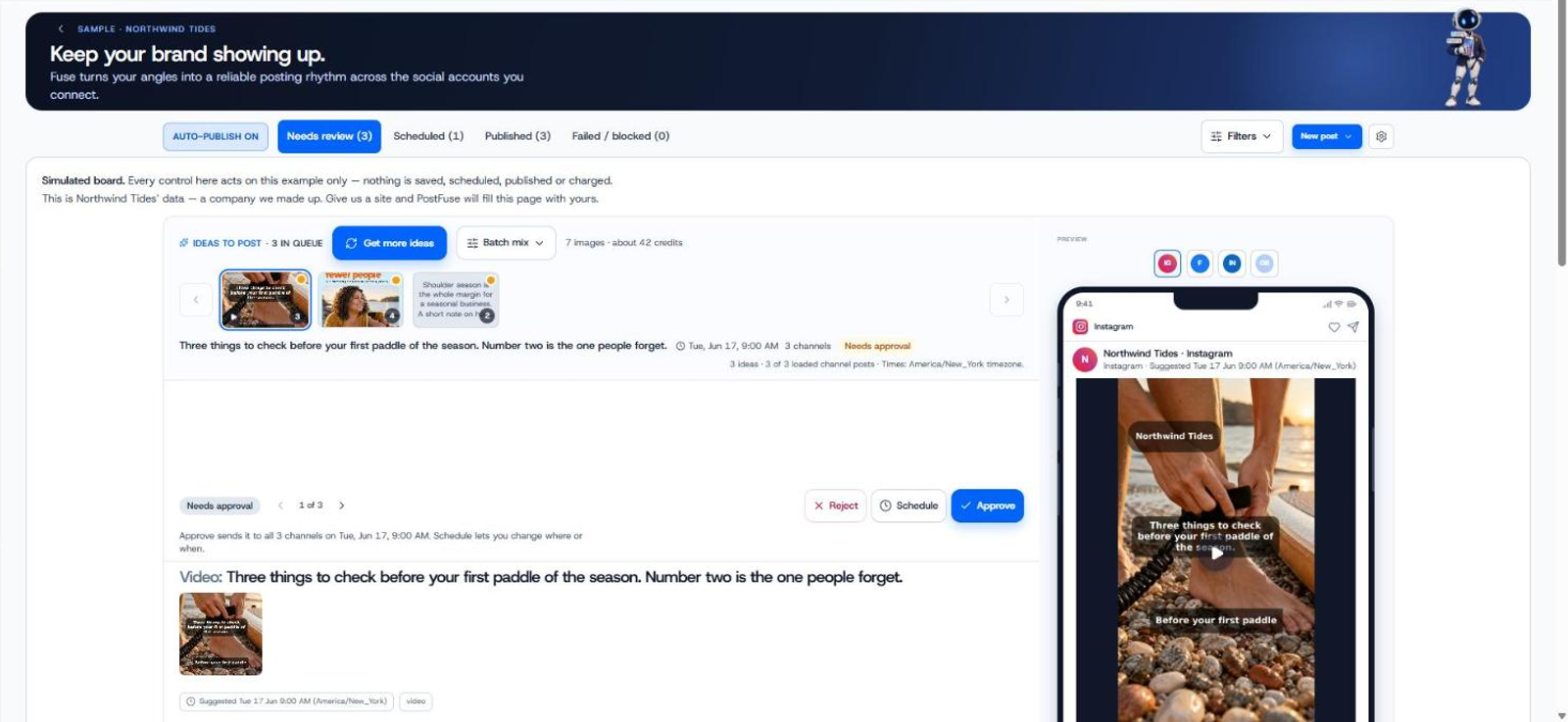
It handles campaigns and ads automation across platforms including LinkedIn, Meta, and Google from one place, with approvals built in so budget changes don't happen without your sign-off. Leads from your LinkedIn forms flow into a built-in list through LinkedIn lead capture, so you're not jumping between the ads manager and a separate spreadsheet to see who raised their hand. And because PostFuse reports on post and ad performance in one dashboard, you can look at your organic LinkedIn activity and your paid test side by side, which is often where the real insight shows up — an ad message that echoes what's already working organically tends to perform better than one built in isolation.
None of this replaces the thinking in the steps above. It just means less time spent stitching data together and more time spent deciding what to do with it.
Frequently asked questions
Do I need a large budget to get useful results from LinkedIn ads?
No. A small, well-targeted budget run against a narrow audience with a single clear offer can produce a readable result. The budget size matters less than whether the campaign is structured to isolate one variable at a time.
How long should a first LinkedIn ad campaign run?
Give it at least a full week before drawing conclusions. LinkedIn's delivery system needs time to find the right people within your target audience, and a few days of data rarely tells the full story.
Should I test multiple ads at once on a small budget?
Not at first. Start with one audience, one offer, and one ad. Once you've confirmed that combination gets any response at all, you can introduce variations to test specific elements like the headline or image.
What's the best objective for a first LinkedIn campaign?
For most B2B offers, a lead generation objective using LinkedIn's native lead forms gives the clearest signal, since the form is pre-filled from the person's profile and you get a direct count of who responded.
How do I know if my LinkedIn ad budget is too small to work?
If the campaign struggles to spend against your audience over a week or more, the audience may be too narrow or too expensive to reach at your budget. Widening the audience slightly or adjusting the bid is usually the first thing to try.
Try PostFuse on your next campaign
If you're ready to turn a small LinkedIn test into a repeatable process, PostFuse can help you plan, run, and track it without juggling separate tools. New customers on monthly plans get 10% off their first month, and paid plans include a 7-day free trial (a card is required to start).